Follow these simple steps to setup your email in cPanel

Conversational Replies
👤 dbadmin
Staff Team
💬 Posted 14 Oct 2026 at 12:54
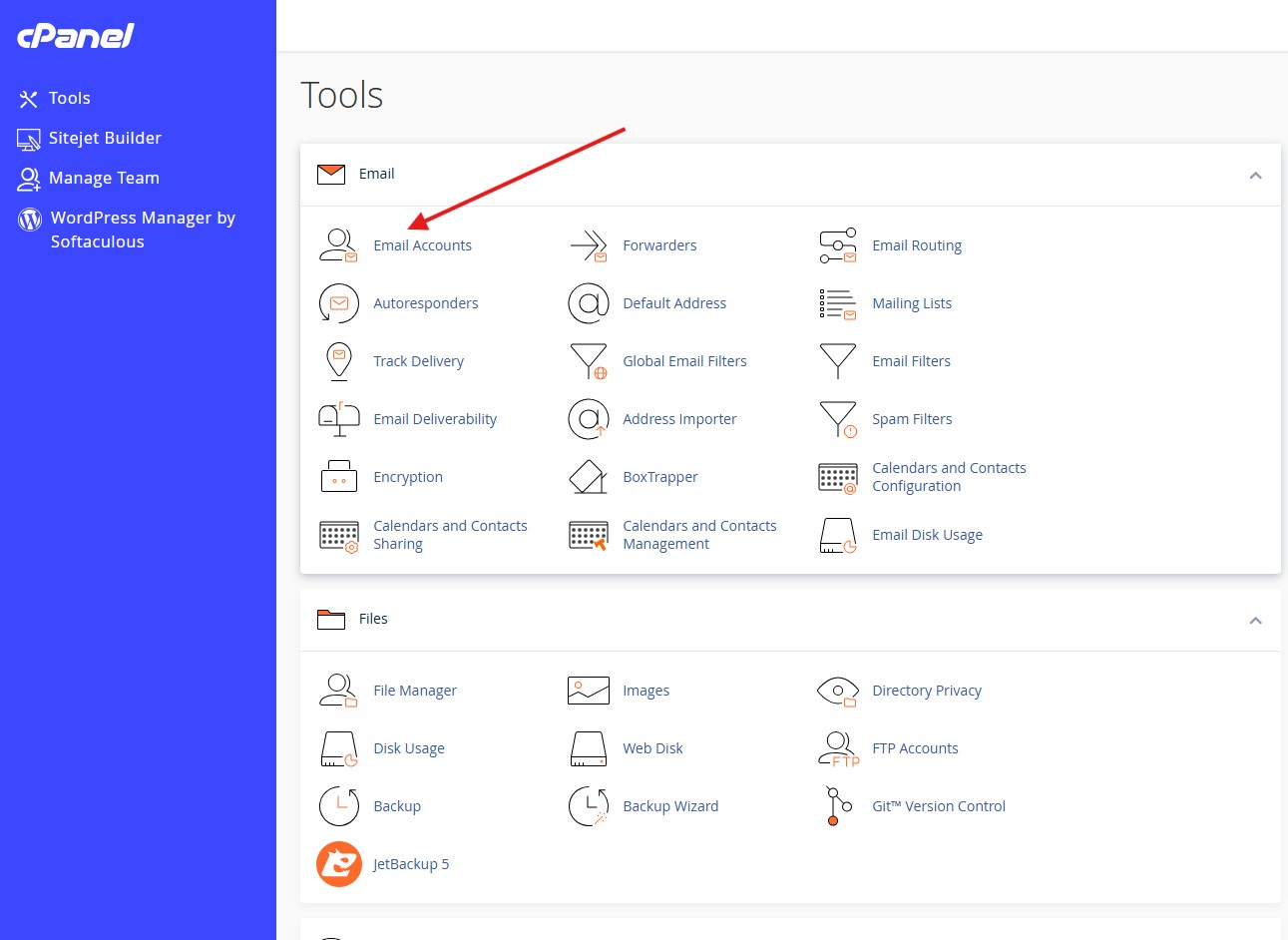
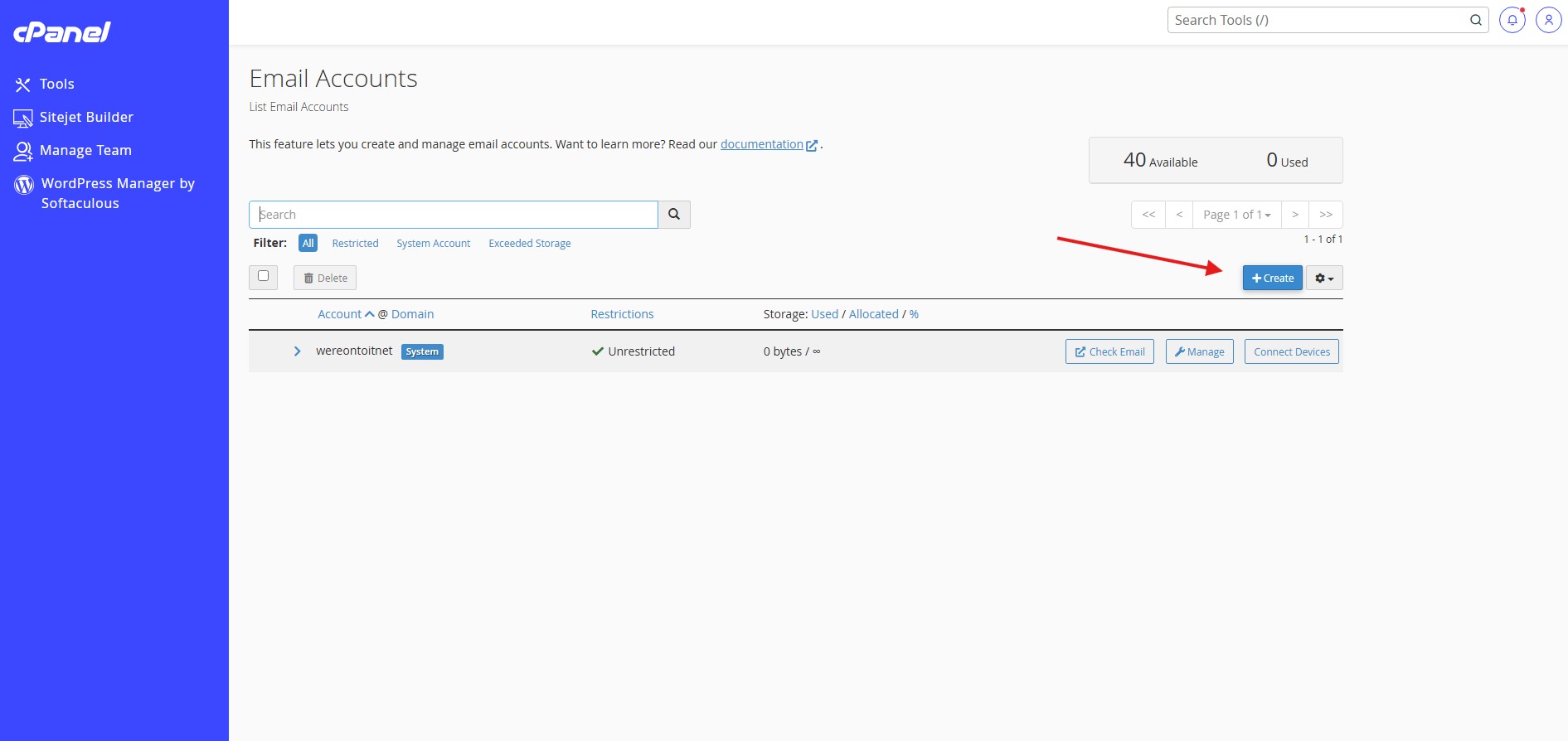
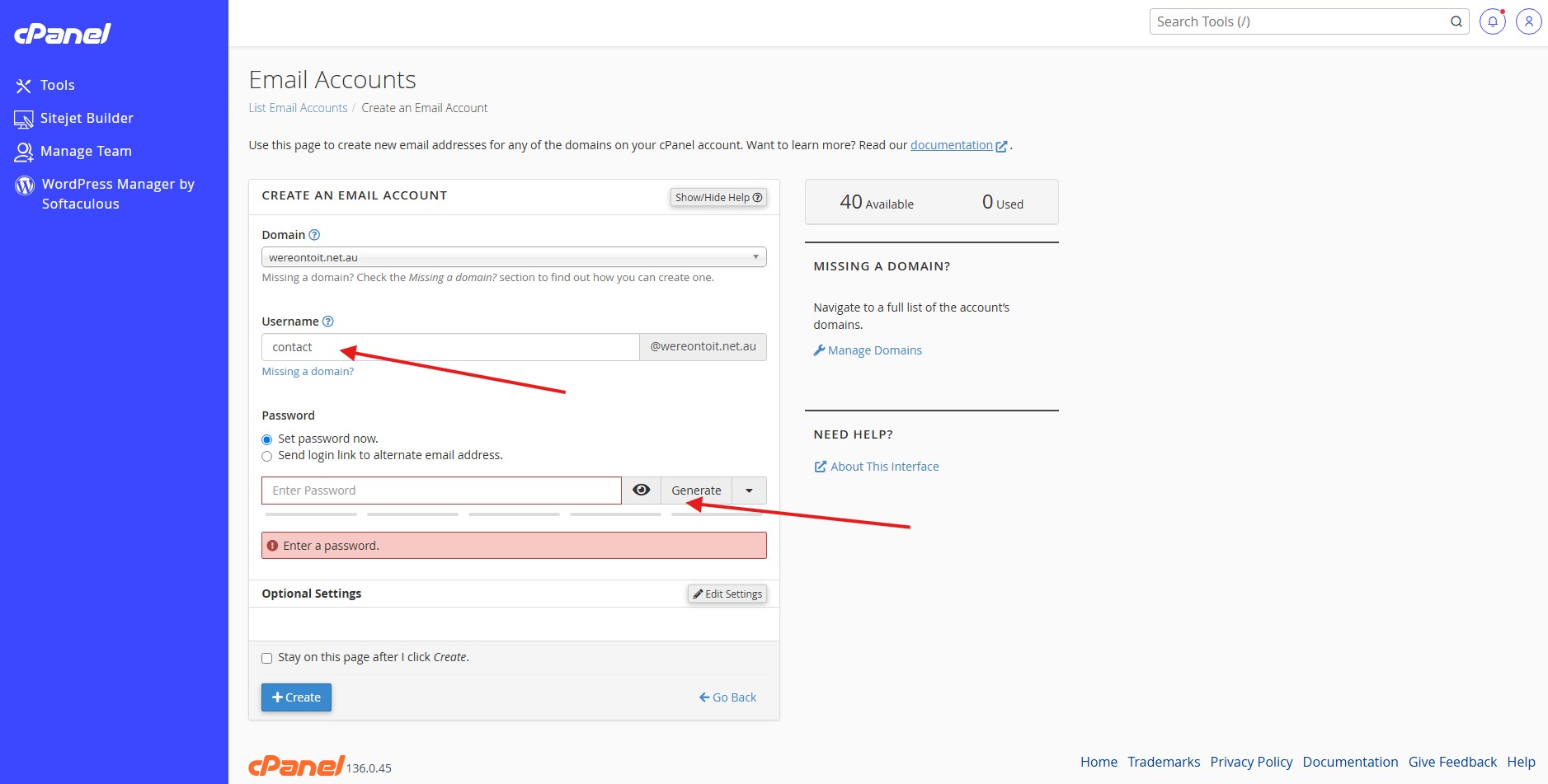
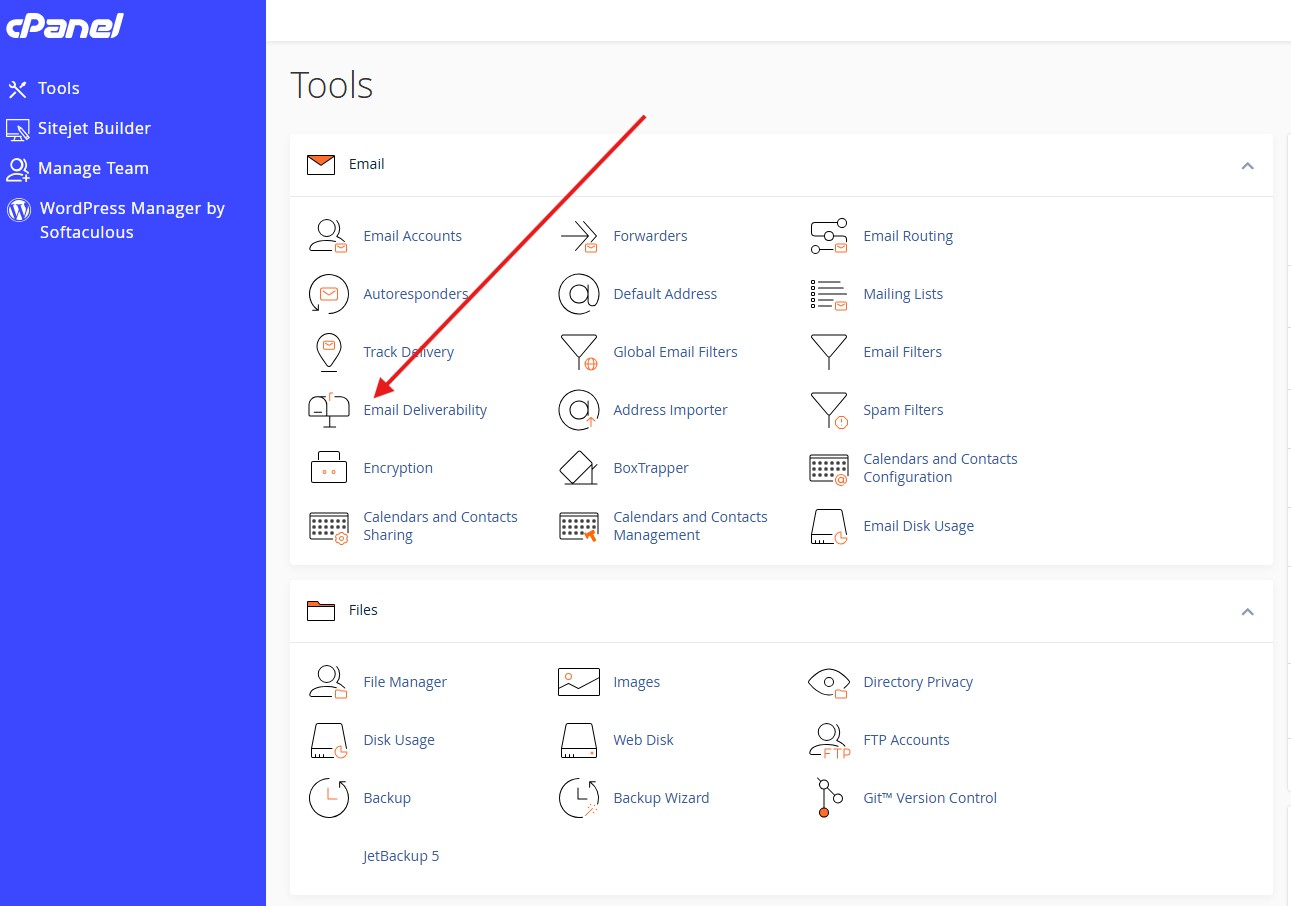
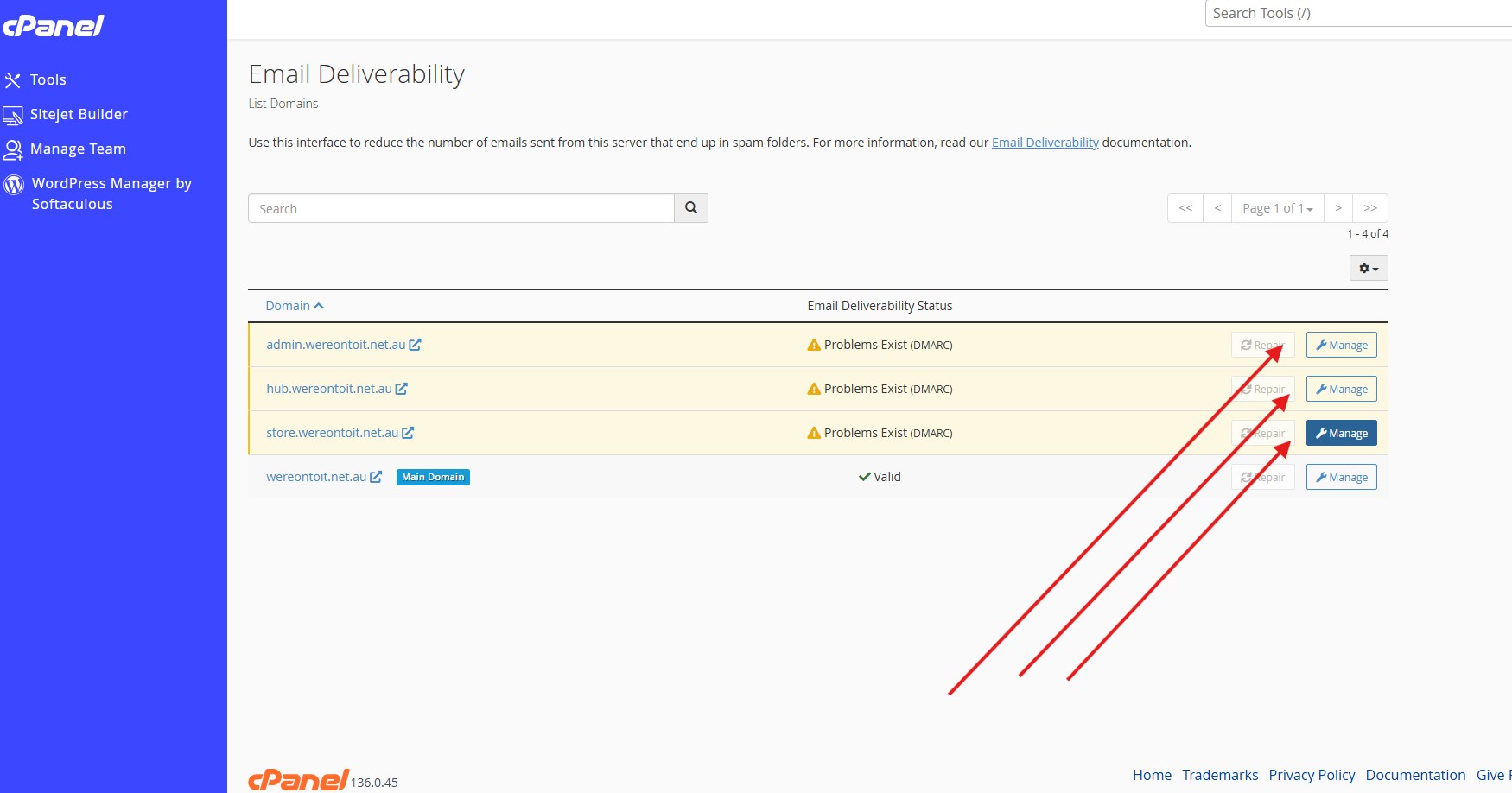
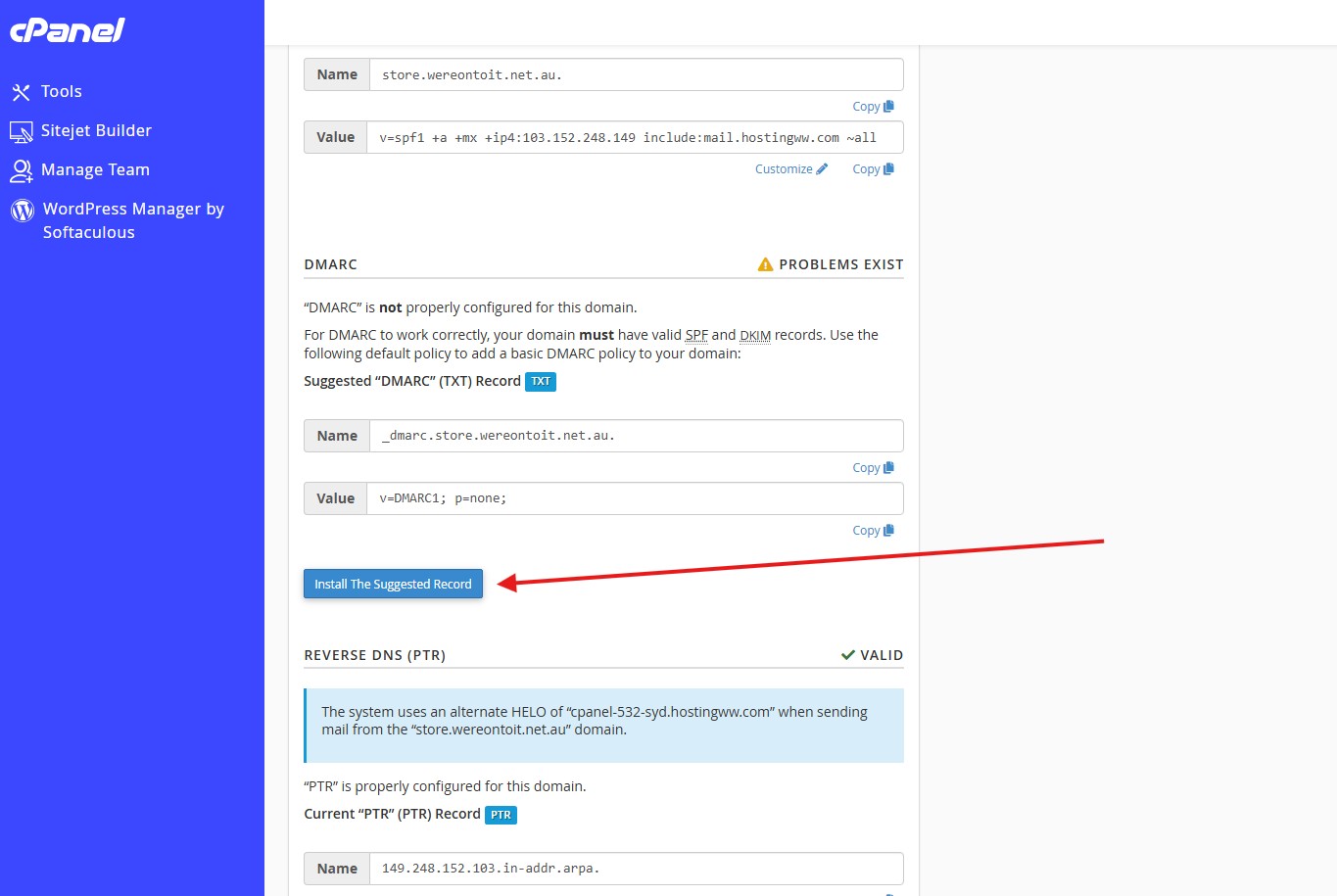
1) Select the email icon in the tools menu 2) Select create 3) Type a name and type or generate a password (save it somewhere) 4) Click Create to save it 5) To secure your email from spoofing (others pretending to be you) Select the domains each at a time (If you have created them yet) do those steps first if you haven't. 6) To protect your email accounts from being used in spam or spoofing when people pretend they are you click email deliverability - Any that are not valid, click install the suggested record 7) Do this for each domain/Sub domain and your done and emails are protected